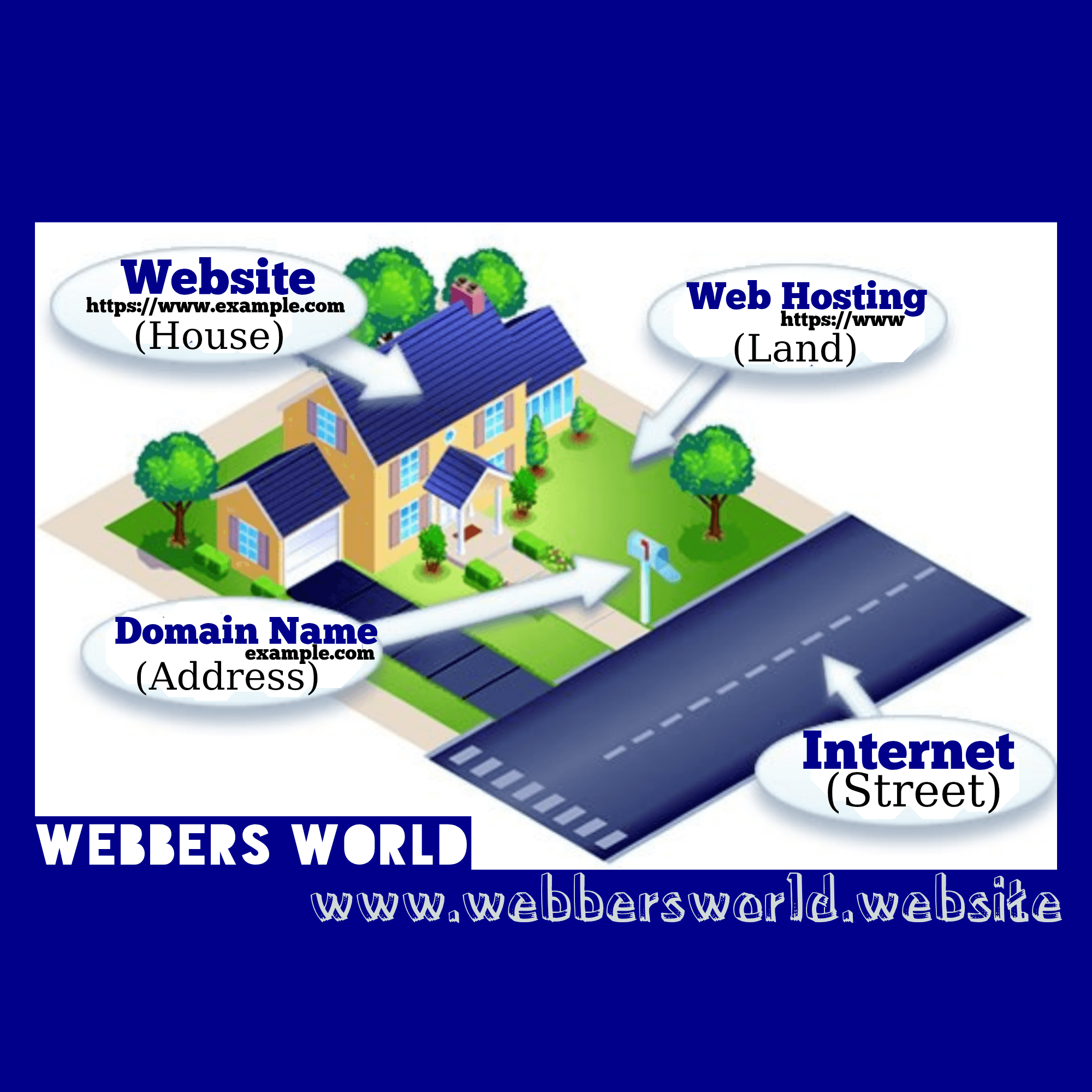
Web Functionality
Domain Name Extensions by Country
Complete List of Domain Name Extensions by Country
The complete list of domain name extensions by country is made up of Country Code Top-Level Domains (ccTLDs). These are two-letter extensions generally reserved for, or associated with, a country, sovereign state, or autonomous territory. Here is a comprehensive list of the ccTLDs as assigned by the Internet Assigned Numbers Authority (IANA), alphabetized by the domain extension:
.ac – Ascension Island
.ad – Andorra
.ae – United Arab Emirates
.af – Afghanistan
.ag – Antigua and Barbuda
.ai – Anguilla
.al – Albania
.am – Armenia
.ao – Angola
.aq – Antarctica
.ar – Argentina
.as – American Samoa
.at – Austria
.au – Australia
.aw – Aruba
.ax – Åland Islands
.az – Azerbaijan
.ba – Bosnia and Herzegovina
.bb – Barbados
.bd – Bangladesh
.be – Belgium
.bf – Burkina Faso
.bg – Bulgaria
.bh – Bahrain
.bi – Burundi
.bj – Benin
.bl – Saint Barthélemy
.bm – Bermuda
.bn – Brunei
.bo – Bolivia
.bq – Caribbean Netherlands (Bonaire, Sint Eustatius, Saba)
.br – Brazil
.bs – Bahamas
.bt – Bhutan
.bv – Bouvet Island (Not in use)
.bw – Botswana
.by – Belarus
.bz – Belize
.ca – Canada
.cc – Cocos (Keeling) Islands
.cd – Democratic Republic of the Congo
.cf – Central African Republic
.cg – Republic of the Congo
.ch – Switzerland
.ci – Côte d’Ivoire
.ck – Cook Islands
.cl – Chile
.cm – Cameroon
.cn – China
.co – Colombia
.cr – Costa Rica
.cu – Cuba
.cv – Cabo Verde
.cw – Curaçao
.cx – Christmas Island
.cy – Cyprus
.cz – Czechia (Czech Republic)
.de – Germany
.dj – Djibouti
.dk – Denmark
.dm – Dominica
.do – Dominican Republic
.dz – Algeria
.ec – Ecuador
.ee – Estonia
.eg – Egypt
.eh – Western Sahara (Unassigned/Unused)
.er – Eritrea
.es – Spain
.et – Ethiopia
.eu – European Union (Special use, not a country)
.fi – Finland
.fj – Fiji
.fk – Falkland Islands
.fm – Federated States of Micronesia
.fo – Faroe Islands
.fr – France
.ga – Gabon
.gb – United Kingdom (Legacy, .uk is used)
.gd – Grenada
.ge – Georgia
.gf – French Guiana
.gg – Guernsey
.gh – Ghana
.gi – Gibraltar
.gl – Greenland
.gm – Gambia
.gn – Guinea
.gp – Guadeloupe
.gq – Equatorial Guinea
.gr – Greece
.gs – South Georgia and the South Sandwich Islands
.gt – Guatemala
.gu – Guam
.gw – Guinea-Bissau
.gy – Guyana
.hk – Hong Kong
.hm – Heard Island and McDonald Islands
.hn – Honduras
.hr – Croatia
.ht – Haiti
.hu – Hungary
.id – Indonesia
.ie – Ireland
.il – Israel
.im – Isle of Man
.in – India
.io – British Indian Ocean Territory
.iq – Iraq
.ir – Iran
.is – Iceland
.it – Italy
.je – Jersey
.jm – Jamaica
.jo – Jordan
.jp – Japan
.ke – Kenya
.kg – Kyrgyzstan
.kh – Cambodia
.ki – Kiribati
.km – Comoros
.kn – Saint Kitts and Nevis
.kp – North Korea
.kr – South Korea
.kw – Kuwait
.ky – Cayman Islands
.kz – Kazakhstan
.la – Laos
.lb – Lebanon
.lc – Saint Lucia
.li – Liechtenstein
.lk – Sri Lanka
.lr – Liberia
.ls – Lesotho
.lt – Lithuania
.lu – Luxembourg
.lv – Latvia
.ly – Libya
.ma – Morocco
.mc – Monaco
.md – Moldova
.me – Montenegro
.mf – Saint Martin (French part)
.mg – Madagascar
.mh – Marshall Islands
.mk – North Macedonia
.ml – Mali
.mm – Myanmar
.mn – Mongolia
.mo – Macau
.mp – Northern Mariana Islands
.mq – Martinique
.mr – Mauritania
.ms – Montserrat
.mt – Malta
.mu – Mauritius
.mv – Maldives
.mw – Malawi
.mx – Mexico
.my – Malaysia
.mz – Mozambique
.na – Namibia
.nc – New Caledonia
.ne – Niger
.nf – Norfolk Island
.ng – Nigeria
.ni – Nicaragua
.nl – Netherlands
.no – Norway
.np – Nepal
.nr – Nauru
.nu – Niue
.nz – New Zealand
.om – Oman
.pa – Panama
.pe – Peru
.pf – French Polynesia
.pg – Papua New Guinea
.ph – Philippines
.pk – Pakistan
.pl – Poland
.pm – Saint Pierre and Miquelon
.pn – Pitcairn Islands
.pr – Puerto Rico
.ps – Palestine
.pt – Portugal
.pw – Palau
.py – Paraguay
.qa – Qatar
.re – Réunion
.ro – Romania
.rs – Serbia
.ru – Russia
.rw – Rwanda
.sa – Saudi Arabia
.sb – Solomon Islands
.sc – Seychelles
.sd – Sudan
.se – Sweden
.sg – Singapore
.sh – Saint Helena, Ascension and Tristan da Cunha
.si – Slovenia
.sj – Svalbard and Jan Mayen (Unused)
.sk – Slovakia
.sl – Sierra Leone
.sm – San Marino
.sn – Senegal
.so – Somalia
.sr – Suriname
.ss – South Sudan
.st – São Tomé and Príncipe
.su – Soviet Union (Legacy, still in use)
.sv – El Salvador
.sx – Sint Maarten (Dutch part)
.sy – Syrian Arab Republic
.sz – Eswatini
.tc – Turks and Caicos Islands
.td – Chad
.tf – French Southern Territories
.tg – Togo
.th – Thailand
.tj – Tajikistan
.tk – Tokelau
.tl – Timor-Leste
.tm – Turkmenistan
.tn – Tunisia
.to – Tonga
.tr – Turkey
.tt – Trinidad and Tobago
.tv – Tuvalu
.tw – Taiwan
.tz – Tanzania
.ua – Ukraine
.ug – Uganda
.uk – United Kingdom
.us – United States
.uy – Uruguay
.uz – Uzbekistan
.va – Holy See (Vatican City State)
.vc – Saint Vincent and the Grenadines
.ve – Venezuela
.vg – British Virgin Islands
.vi – U.S. Virgin Islands
.vn – Vietnam
.vu – Vanuatu
.wf – Wallis and Futuna
.ws – Samoa
.ye – Yemen
.yt – Mayotte
.za – South Africa
.zm – Zambia
.zw – Zimbabwe
Key Information about ccTLDs
A Country Code Top-Level Domain (ccTLD) is an internet Top-Level Domain (TLD) generally used or reserved for a country, sovereign state, or dependent territory. All ccTLD identifiers are two letters long and are derived from the ISO 3166-1 alpha-2 country codes.
Retired/Unused Codes:
The list above includes some codes that are either retired (like .an for Netherlands Antilles) or are officially reserved but not currently used for registration (like .bv for Bouvet Island).
Commercial Use:
Some ccTLDs are marketed globally for non-country specific purposes because their codes have a recognizable meaning. Examples include:
.co (Colombia), often used as an abbreviation for “company” or “corporation.”
.tv (Tuvalu), often used for “television” or video-related sites.
.me (Montenegro), often used for personal or “about me” sites.
.io (British Indian Ocean Territory), often popular with tech and startup companies.
Geographic TLDs (geoTLDs):
While not ccTLDs, there are also TLDs for specific cities or regions, such as .london, .berlin, or .nyc, but they are longer than two letters.
Internationalized Country Code Top-Level Domains (IDN ccTLDs):
Many countries also have domain extensions in their local, non-Latin scripts (e.g., Cyrillic, Arabic, Chinese). These are known as IDN ccTLDs. For example, Russia has .рф and Saudi Arabia has .السعودية.
To get a website with any of the above country domain name extension, we are here for you..
Getting a website…
Tell us about the website project
Website Content Protection
Website Content Protection Functionality
A comprehensive anti-copying and content security tool that acts as a strong deterrent against plagiarism and content theft.
Here are the main ways Website Content Protection Functionality protects your website:
Disabling Right-Click:
It prevents users from right-clicking on the content, which stops them from accessing the browser’s context menu used to select options like “Copy,” “Save image as,” “Inspect Element,” and “Print.”
Disabling Copy Keyboard Shortcuts:
It blocks common keyboard shortcuts used for content theft, such as:
Ctrl + C (Copy)
Ctrl + X (Cut)
Ctrl + A (Select All)
Ctrl + S (Save Page)
Ctrl + P (Print Page)
Preventing Text Selection:
It disables the ability to select text, making it impossible to highlight and copy content.
Disabling Image Drag & Drop/Save:
It prevents images from being dragged, dropped, or easily saved by disabling the right-click “Save image as” function.
Disabling Developer Tools/View Source:
It can disable the ability to open the developer tools (often via F12 or Ctrl + Shift + I) and view the page source code (often via Ctrl + U).
Content Locking/Gating:
Additional layers of protection by:
Password Protection:
Restrict access to certain parts of the content with a password.
Gated Content:
Requiring a user to submit an email address (subscribe) or pay (via any paywall of your choice) to view the hidden content.
To Get the Website Content Protection Functionality built on your website, send us a WhatsApp text via +237653811070 or mail via email@webbersworld.website
News Website
News Website
A news website serves as the online version of traditional media (like newspapers or TV networks) or as a stand-alone, digital-native publication. The core functionalities of a news website revolve around the central purpose of delivering timely, diverse, and engaging information to its audience.
Real-Time Updates and Breaking News:
The ability to publish news instantaneously and provide live, frequent updates as an event unfolds (e.g., live blogs, news tickers).
Wide Range of Topics/Categorization:
Organizing news articles into clear, navigable categories (e.g., politics, sports, technology, health) so readers can easily find content relevant to their interests.
Multimedia Content Integration:
Supporting diverse content formats, including text, high-quality images, videos, infographics, and podcasts to tell a story more effectively and engage readers.
User Experience and Accessibility
Intuitive and Easy Navigation:
A clear menu structure, well-organized homepage, and simple navigation paths to help users quickly find the news they want.
Search and Archives:
A powerful search function that allows users to find current and past articles, providing valuable historical context and research capability.
Mobile Responsiveness:
Ensuring the website displays and functions correctly on all devices (desktops, tablets, and smartphones) for a seamless user experience.
Fast Load Speed:
Optimizing the website for quick loading times, which is crucial for retaining users who expect instant information.
Audience Engagement and Interactivity
Social Media Integration:
Providing easy options for readers to share articles on social media platforms and integrating social media feeds.
Comment Sections/Forums:
Allowing readers to express their opinions, discuss articles, and interact with each other, fostering a sense of community.
Personalization and Customization:
Offering features like personalized news feeds, newsletters, or “My Topics” sections, allowing users to tailor their news consumption.
Push Notifications (for apps/subscribers):
The capability to send instant alerts to users about breaking news or updates on their subscribed topics.
Credibility and Authoritativeness
Fact-Checked, Accurate Reporting:
Maintaining a rigorous editorial process to ensure the published content is accurate, which builds trust with the audience.
Identification of Source and Time:
Clearly displaying the date, time of publication, and the name of the author or reporter to provide transparency and context.
Monetization Features (Revenue Generation) for a news website
These are the strategies and corresponding features the news website uses to make money, which are financial features for the business of the news website.
Subscription Models / Paywalls
Hard Paywall: Restricts all or most content until a user pays for a subscription.
Soft/Metered Paywall: Allows a limited number of free articles before requiring a subscription.
Premium/Tiered Subscriptions: Offer different levels of access, with the highest tiers often including ad-free viewing, exclusive newsletters, or in-depth analysis.
Display Advertising
Placement of traditional banner ads, video ads, or other digital ad units on the website. Revenue is generated through ad networks (like Google AdSense) or direct ad sales based on impressions (CPM) or clicks (CPC).
Native Advertising / Sponsored Content
Articles or videos created by or paid for by an advertiser but designed to match the form and function of the website’s regular content. These are typically clearly labelled as “Sponsored” or “Promoted.”
Affiliate Marketing
Promoting products or services relevant to the content (e.g., credit cards, investment platforms, software) and earning a commission for sales or leads generated through unique affiliate links embedded in articles.
Membership Programs
Offering exclusive benefits to paying members that go beyond just content access, such as access to journalists, special events (webinars, conferences), or merchandise.
Donations/Crowdfunding
Providing a way for loyal readers to offer financial support to the journalism through one-time or recurring donations.
E-commerce & Digital Products
Selling branded merchandise, e-books, e-magazines, specialized reports, or online courses related to the website’s niche.
Content Syndication
Licensing the news content to other media outlets or platforms for a fee.
To get a news website, we are here for you..
Getting a website…
Tell us about the website project
Personal Website
Personal Website
A personal website acts as a digital identity, a dynamic portfolio, and a central hub for showcasing skills, passions, and journey. Whether you’re a freelancer, artist, job seeker, or just want an online presence, a well-structured personal website can be incredibly impactful.
Showcase and Credibility:
Direct Connection:
A personal website makes it easy for others to contact you directly. A simple contact form or a clearly displayed email address streamlines networking and professional opportunities.
A personal website is to be an intentional, owned, and authentic platform that gives you control over your professional narrative. It’s a tool for career growth, a repository of your best, and a direct line for new opportunities, all while presenting a cohesive and compelling version of who you are.
Control and Ownership:
Full Control: Unlike social media platforms, you own and control your personal website. You dictate the design, the content, and the user experience, free from algorithm changes or platform restrictions.
Here are the key elements that make up an effective personal website:
Identity & Introduction
Homepage/Landing Page:
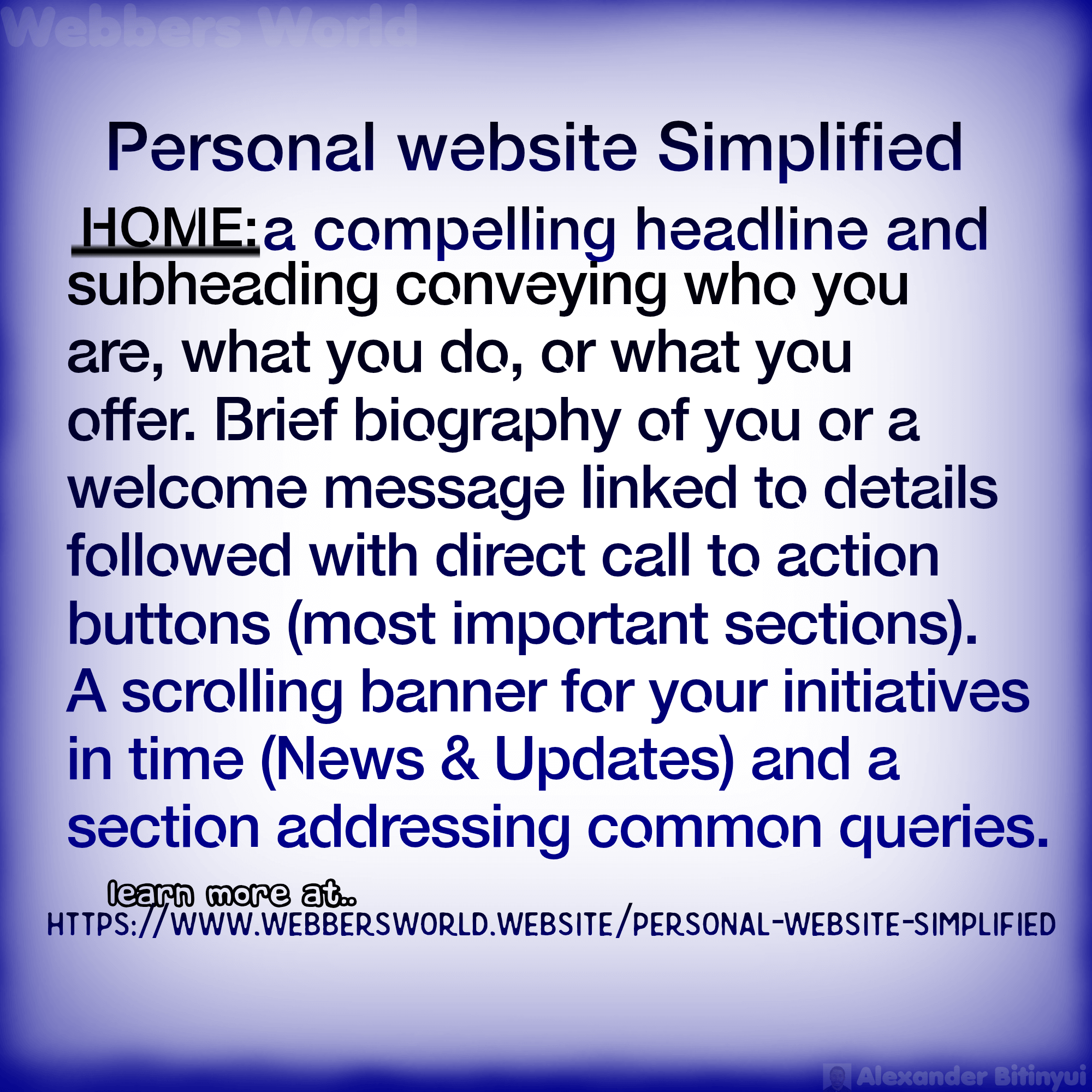
This is your digital handshake. It should immediately convey who you are, what you do, and what value you offer.
Short Bio/Welcome Message:
A brief, engaging introduction to your background and purpose for the website.
Prominent Call to Action (CTA):
Guide visitors to your most important section
About Me/Bio:
This is where you tell your story in more detail.
Extended Biography: Make it personal and authentic.
Blog/Articles (Optional but Recommended):
Thought Leadership: Share your expertise, insights, and opinions on topics relevant to your cause.
Personal Reflections: Share your journey, lessons learned, or creative process.
SEO Benefits:
Regularly updated content helps with search engine visibility.
Connecting & Engaging
Contact Me:
Make it easy for people to reach you.
Contact Form:
A simple, user-friendly form for inquiries.
Email Address:
Clearly displayed.
Social Media Links:
Links to your professional profiles (LinkedIn, Instagram, Twitter, etc.).
Social Media Integration: Beyond just links, consider embedding social feeds if your content there is relevant and regularly updated.
Newsletter Sign-up (Optional):
If you plan to send out updates or content regularly, offer an email subscription.
Design & Technical Elements
Responsive Design:
Your website must look and function perfectly on all devices – desktops, laptops, tablets, and smartphones. This is non-negotiable.
User-Friendly Navigation:
Clear, intuitive menus that make it easy for visitors to find the information they’re looking for.
Visually Appealing Design:
Clean & Professional Aesthetic:
Reflect your personal brand.
High-Quality Imagery:
Use professional photos, graphics, and videos.
Consistent Branding:
Maintain a consistent colour palette, typography, and overall style.
Fast Loading Speed:
Optimize images and code to ensure your website loads quickly, preventing visitors from leaving due to slow performance.
Search Engine Optimization (SEO) Basics:
Optimized Titles & Descriptions:
Use relevant keywords in your page titles and meta descriptions.
Clean URLs:
Easy-to-read and understand URLs.
Mobile-First Design:
Search engines prioritize mobile-friendly sites.
Security (SSL Certificate):
Essential for protecting any data submitted via forms and for building trust. It shows “https://” in your URL.
Analytics Integration:
Tools like Google Analytics to track visitors, popular pages, and how users interact with your site, helping you refine your content.
Domain Name:
A personalized domain name (e.g., yourname.com) makes your site professional and easy to remember.
Web Hosting:
The service that stores your website files and makes them accessible on the internet.
A well-crafted personal website acts as your 24/7 online ambassador, making it easier for opportunities to find you. To get a personal website, we are here for you..
Getting a website…
Tell us about the website project
Hospital Website
Hospital Website
A hospital website is a critical tool for patient engagement, information dissemination, and building trust within the community. It needs to cater to a diverse audience, including current and prospective patients, their families, referring physicians, job seekers, and the media. Serving as a trusted, patient-centric digital front door that simplifies access to care, provides clear and reliable information, and builds confidence in the institution. Unlike a typical business website, a hospital’s site is a critical service tool.
Here are the core elements that define the essence of a hospital website:
Functionality and Convenience:
Ease of Use:
The website must be incredibly easy to navigate. A simple, intuitive design is paramount, as users may be in a state of urgency or distress. Clear menus, a powerful search function, and prominent calls to action (CTAs) are essential.
Appointment Scheduling:
A core function is to allow patients to easily book, reschedule, or cancel appointments online. This streamlines the process and is a major convenience for patients.
Patient Portal Access:
A secure, easily accessible patient portal is a must-have. This allows patients to view their medical records, lab results, pay bills, and communicate with their healthcare providers.
Essential Information:
Critical details like contact numbers, directions, parking information, and hours of operation for various departments should be prominently and consistently displayed.
Safety and Security:
HIPAA Compliance:
A hospital website must adhere to strict regulatory standards like HIPAA to protect patient privacy and sensitive health information. This includes secure data encryption and robust security measures.
Secure Transactions:
If the website handles payments or personal data, it must use secure payment gateways and protocols to ensure the safety of financial and personal information.
The essence of a hospital website is to be a functional, reassuring, and reliable online tool that empowers patients, builds trust, and makes accessing healthcare services as seamless and stress-free as possible. It is the digital equivalent of a welcoming and efficient hospital lobby.
Here are the essential components of a robust hospital website:
Patient-Centric Information & Services:
Homepage:
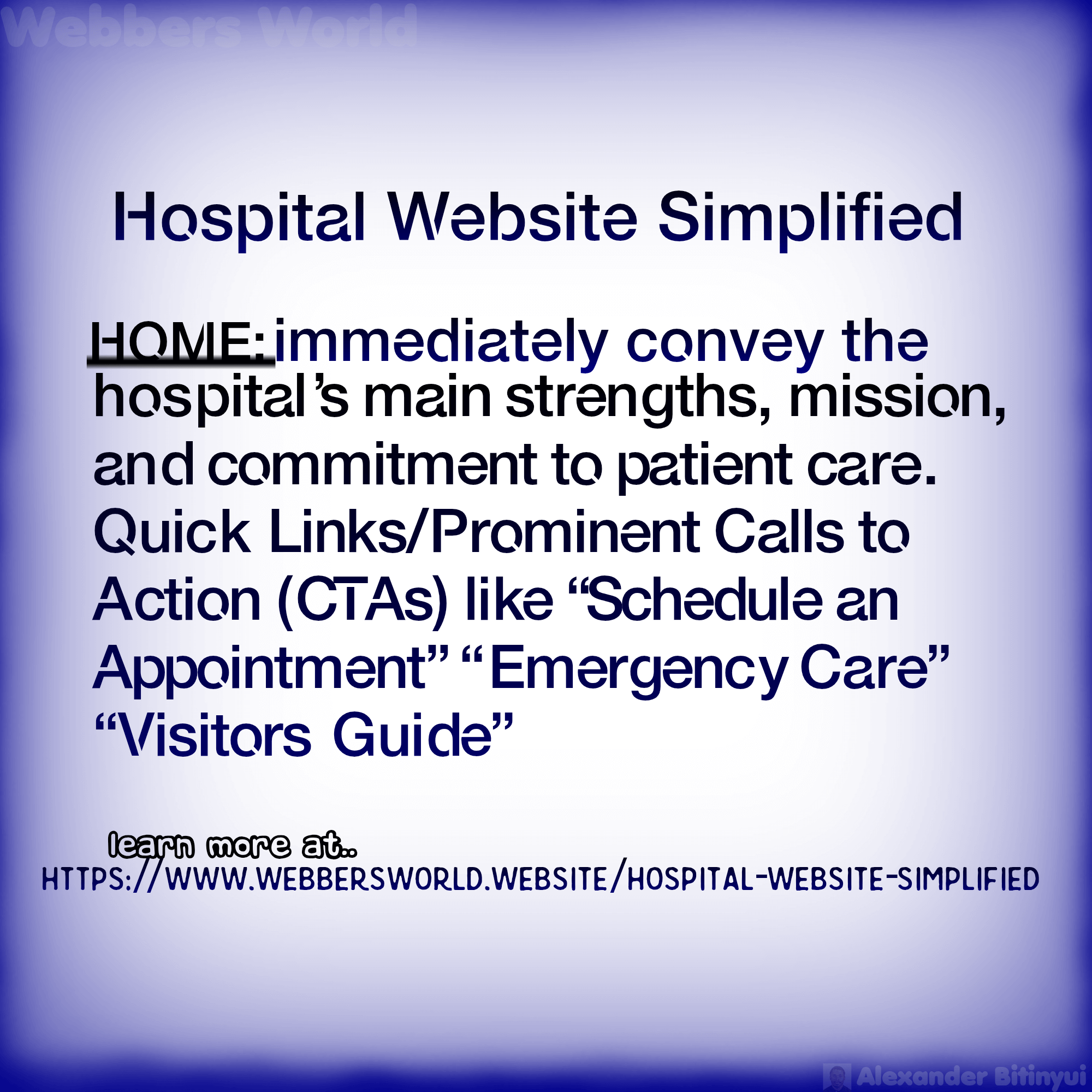
Clear Value Proposition: Immediately convey the hospital’s main strengths, mission, and commitment to patient care.
Prominent CTAs (Calls to Action): Easy access to frequently used features like “Find a Doctor,” “Schedule an Appointment,” “Pay My Bill,” “Patient Portal,” or “Emergency Care.”
Emergency Information: Clear, visible information on emergency services, including contact numbers and what to do in an emergency.
Latest News & Announcements: Updates on hospital events, public health advisories, new services, or important changes.
Visually Engaging: High-quality photos and videos that reflect a compassionate, professional, and welcoming environment.
Services & Specialties:
Comprehensive Listing: A detailed breakdown of all medical services offered (e.g., Cardiology, Oncology, Pediatrics, Orthopedics, Maternity, Emergency Medicine, Surgery).
Specialty Pages: Dedicated pages for each major specialty, providing information on conditions treated, procedures, technology used, and the care team.
Patient Education: Easy-to-understand information about common conditions, treatments, and preventive care. This builds trust and empowers patients.
Contact Information (and direct appointment scheduling if available)
Admissions & Registration:
Information on what to bring, pre-registration options, and the admission process.
Billing & Insurance:
Clear explanation of billing procedures, accepted insurance plans, financial assistance options, and online bill payment.
Visitor Guidelines:
Visiting hours, policies, parking information, and directions.
Patient Rights & Responsibilities: Clearly outlined.
Hospital Map & Directions:
Interactive maps, directions to various departments, and parking information.
Accommodation & Nearby Amenities:
Information for out-of-town patients and their families.
Online Appointment Scheduling:
A user-friendly system that allows patients to book, reschedule, or cancel appointments online, ideally with real-time availability.
Patient Portal Integration:
A secure gateway for patients to:
Access medical records (test results, medication lists).
Communicate securely with their care team.
Request prescription refills.
View appointment history and upcoming appointments.
Pay bills.
Trust, Credibility & Engagement:
About Us:
Mission, Vision, Values: The hospital’s core principles.
History: A brief overview of the hospital’s journey and contribution to the community.
Leadership/Administration: Profiles of the executive team and board members.
Community Involvement: Demonstrating the hospital’s role in local health initiatives and outreach programs.
Newsroom/Blog:
Press Releases: Official announcements from the hospital.
Health & Wellness Articles: Educational content written by hospital experts on various health topics.
Hospital News: Updates on new facilities, technology, staff achievements, and community events.
Careers/Join Our Team:
Job Openings: A searchable database of current vacancies.
Employee Benefits: Information on what it’s like to work at the hospital.
Culture & Values: Showcasing the work environment.
Donations/Giving:
For non-profit hospitals, a dedicated section for accepting donations, outlining fundraising campaigns, and showcasing the impact of contributions.
Contact Us:
General hospital contact information (main phone, email).
Specific contacts for departments (admissions, billing, HR, media relations).
A contact form for general inquiries.
Events Calendar:
Listing of community health fairs, screening events, support groups, and educational workshops.
Design & Technical Excellence:
User-Friendly Interface & Intuitive Navigation:
Clean, uncluttered design that is easy to navigate, even for users who may be stressed or in a hurry.
Logical site structure with clear menus and consistent placement of key information.
Mobile Responsiveness:
Absolutely essential. The website must adapt seamlessly and function perfectly on all devices (smartphones, tablets, desktops), as many patients will access information on the go.
Security & Privacy (HIPAA/GDPR Compliance):
SSL Certificate:
Ensures encrypted communication for all data exchanged (especially for patient portals and forms).
Privacy Policy & Terms of Use:
Clearly stated policies on data collection and usage.
Accessibility (WCAG Compliance):
Designed to be usable by individuals with disabilities, including features like:
- Screen reader compatibility.
- High color contrast.
- Keyboard navigation.
- Descriptive alt text for images and closed captions for videos.
Fast Loading Speed:
Pages must load quickly to provide a smooth user experience and prevent abandonment, especially for those seeking urgent information.
Robust Search Functionality:
A powerful internal search engine that allows users to quickly find doctors, services, conditions, or any other information on the site.
SEO (Search Engine Optimization):
Optimized content and technical structure to ensure the hospital ranks high in search results for relevant keywords (e.g., “cardiologist Bamenda,” “best hospital Northwest Region,” “emergency room near me”).
Analytics Integration:
Tools like Google Analytics to monitor website traffic, user behaviour, and conversion rates, informing continuous improvement.
Social Media Integration:
Links to the hospital’s official social media channels to extend reach and engage with the community.
Live Chat/Chatbot (Optional but Recommended):
Provides instant answers to common questions and can guide users to the right information or service.
A well-executed hospital website is a lifeline for patient communication, a powerful marketing tool, and a reflection of the hospital’s commitment to quality care. To get a hospital website, we are here for you..
Getting a website…
Tell us about the website project
Church Website
Church Website
A church website serves as a digital extension of the church community, providing information, fostering connection, and facilitating engagement for both existing members and prospective visitors. It’s a crucial tool for outreach and communication in the modern age. A church website serves as the primary tool for both reaching new people and serving the existing congregation. It is a living hub for connection, information, and spiritual growth..
A Ministry and Communication Hub:
Centralized Information: The website acts as a one-stop-shop for all church-related information, including event calendars, ministry descriptions (e.g., youth, children, small groups), and contact information for staff.
Sermon Archives:
A key feature is a library of past sermons, allowing people to catch up on a missed service, share content with others, or explore the church’s teaching before attending in person.
Online Giving:
A secure and user-friendly online giving platform is essential for modern churches, making it convenient for members to support the church’s mission.
Cultivating Connection and Community:
Beyond the Sunday Service:
The website provides resources for spiritual growth throughout the week. This can include devotionals, blog posts, prayer request forms, and sign-ups for small groups or volunteer opportunities.
Showcasing Real People:
Rather than relying on generic stock photos, a powerful church website uses authentic images and testimonials of its actual community members, building a sense of belonging and authenticity.
Social Media Integration:
Linking to social media platforms helps extend the church’s reach and provides an additional channel for real-time communication and community interaction.
The essence of a church website is to break down barriers and create a bridge for connection. It’s a tool that both informs and inspires, making it easier for people to find a spiritual home and deepen their faith journey.
Here are the essential components of a robust church website:
Core Information & Welcome:
Homepage:
Warm Welcome Message:
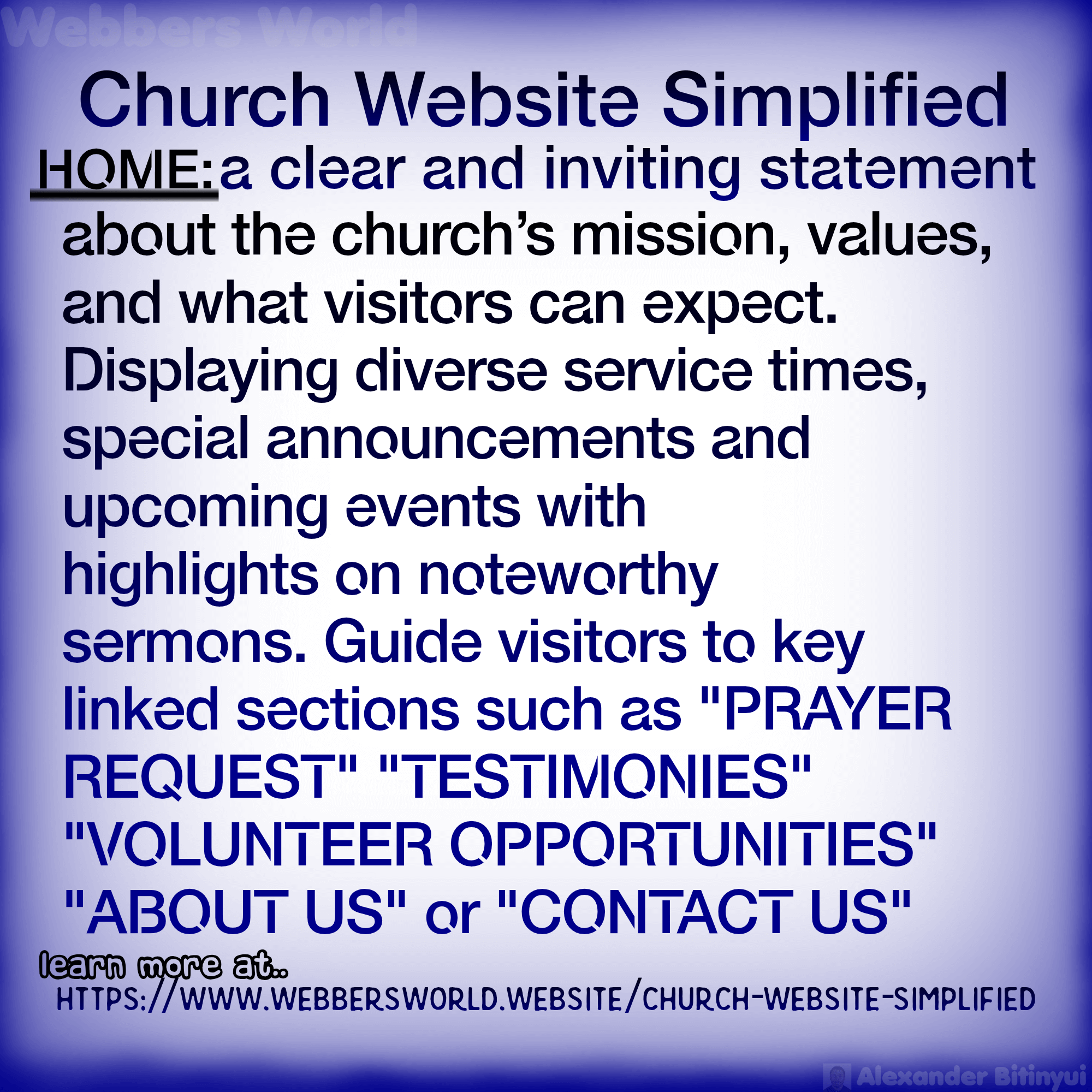
A clear and inviting statement about the church’s mission, values, and what visitors can expect.
Prominent Service Times & Location:
This is often the most sought-after information. Display clearly with addresses and a map.
Upcoming Events/Highlights: A rotating banner or section showcasing major upcoming events, sermon series, or special announcements.
Current Sermon/Message:
A link or embedded player for the most recent sermon, demonstrating the church’s teaching.
Compelling Imagery:
High-quality photos and videos of the church building, worship services, community events, and diverse members.
About Us/Our Story:
Our Beliefs/What We Believe: A clear articulation of the church’s theological stance, core doctrines, and values.
Mission & Vision: The church’s purpose and its aspirational goals.
History: A brief overview of the church’s founding and journey.
Leadership/Staff: Profiles of the pastoral team, elders, deacons, and key administrative staff, often with photos and contact information.
New Here?/Visit Us:
What to Expect:
Information on service format, dress code, children’s programs, and what happens during a typical service to ease first-time visitor anxieties.
Directions & Parking:
Detailed instructions and an embedded map.
Welcome Message for Newcomers:
Specific encouragement for those visiting for the first time.
Plan Your Visit (Optional):
A form for visitors to let the church know they’re coming, allowing for a more personalized welcome.
Engagement & Community Building:
Sermons/Messages:
Archived Sermons: A library of past sermons, ideally with options for audio, video, transcripts, or notes. Categorize by series, speaker, or date.
Sermon Notes/Discussion Guides: Resources to accompany messages for personal or group study.
Ministries & Groups:
Children & Youth Ministries:
Information on Sunday school, youth groups, VBS, and child safety policies.
Adult Ministries:
Small groups, Bible studies, men’s/women’s ministries, senior groups, etc.
Outreach/Community Service:
Details about the church’s local and global outreach efforts, volunteer opportunities, and partnerships.
Worship & Arts:
Information about the worship team, choirs, and other creative ministries.
Events Calendar:
A comprehensive, easy-to-navigate calendar showing all church activities, meetings, special services, and community events. Should be filterable and ideally allow syncing with personal calendars.
Giving/Donations:
Online Giving Portal:
A secure, user-friendly platform for members to make financial contributions (one-time or recurring).
Information on Stewardship:
Explanations of why and how to give, often including options for tithing, special offerings, or designated funds.
News & Announcements/Blog:
Regular updates on church life, upcoming events, testimonies, and inspiring content.
Can be used to share pastoral reflections or highlight community successes.
Contact Us:
Main church phone number, email address, and physical address.
A user-friendly contact form for general inquiries.
Specific contacts for different ministries or staff members (e.g., “Youth Pastor,” “Office Administrator”).
Prayer Request Form:
A private and secure way for members to submit prayer requests to the pastoral team or a designated prayer ministry.
Volunteer Opportunities:
A clear listing of ways members can serve within the church or community, with sign-up forms.
Testimonials/Stories:
Personal stories from members about how the church has impacted their lives, building connection and authenticity.
Design & Technical Considerations:
Responsive Design:
Absolutely essential. The website must look and function perfectly on all devices (smartphones, tablets, desktops) as many people will access it on the go.
User-Friendly Navigation:
Clear, intuitive menus and a logical site structure that makes it easy for visitors (especially newcomers) to find information quickly.
Visually Engaging Design:
Authentic Imagery:
Use real photos of your congregation and church activities. Avoid generic stock photos if possible.
Consistent Branding:
Use of the church logo, consistent color scheme, and typography.
Clean & Uncluttered Layout:
Easy-to-read fonts and good use of white space.
Accessibility:
Design for all users, including those with disabilities (e.g., alt text for images, keyboard navigation, good colour contrast, closed captions for videos).
Fast Load Times:
Optimized for speed to ensure a smooth user experience.
Security (SSL Certificate):
Crucial, especially for online giving or contact forms, to protect user data. Indicated by “https://” in the URL.
Search Functionality:
A prominent search bar can help users quickly find specific sermons, events, or information.
Social Media Integration:
Links to the church’s official social media pages (Facebook, Instagram, YouTube, etc.) to extend reach and engage with the online community.
Email Newsletter Sign-up:
A form to collect email addresses for regular church updates.
Content Management System (CMS):
A user-friendly CMS (like WordPress, Squarespace, or a specialized church website builder) that allows church staff or volunteers to easily update content, sermons, and event information without needing a developer.
A well-crafted church website serves as a welcoming front door, a valuable resource for members, and a powerful tool for fulfilling the church’s mission in the digital age. To get a church website, we are here for you..
Getting a website…
Tell us about the website project
Club Website
Club Website
A club website serves as the digital heart of a community, whether it’s a sports club, a hobby group, a social organization, or a professional association. It’s the central hub for communication, member engagement, recruitment, and showcasing the club’s activities and values. It’s the online “clubhouse” where members and potential members can find all the necessary information and feel a sense of belonging.
Here are the key components that define the essence of a club website:
Communication and Information Hub:
Centralized Source:
A website provides a single, reliable place for all club-related information, including news, announcements, and contact details. This is more organized and permanent than relying solely on social media posts or emails.
Event Calendar:
A prominent event calendar is crucial for keeping members informed about upcoming meetings, special events, practices, games, or social gatherings.
News & Blog:
Regularly updated news and blog sections keep the content fresh and engaging, showcasing the club’s activities and achievements.
Digital Front Door:
For many people, the website is their first point of contact with the club. A well-designed, modern, and user-friendly site makes a strong first impression, signaling that the club is professional and well-run.
Showcasing the Experience:
High-quality imagery and videos that capture the club’s atmosphere and the camaraderie of its members are essential. This helps potential members envision themselves as part of the community.
Easy Membership Information:
A website clearly outlines the benefits of joining, different membership levels, and a simple way to register or pay dues online.
Convenient Transactions:
A website can streamline administrative tasks by providing a secure way for members to pay for events, register for activities, or make donations.
The essence of a club website is to be a professional, functional, and engaging online space that not only provides information but also cultivates a sense of community, attracts new members, and reinforces the club’s identity.
Here are the essential components of a robust and effective club website:
Core Information & Welcome:
Homepage:
Clear Introduction: A welcoming statement about the club’s purpose, what it offers, and its target audience.
Prominent Call to Action (CTA): Guide visitors to key areas like “Join Us,” “View Events,” “Contact Us,” or “Discover Our Activities.”
Latest News & Highlights: A dynamic section for recent achievements, upcoming major events, or important announcements.
Compelling Visuals: High-quality photos and videos showcasing members in action, club events, and the overall atmosphere.
About Us/Our Story:
Club Mission & Vision: Articulate the club’s purpose, values, and long-term goals.
History: A brief overview of the club’s founding and significant milestones.
Leadership/Committee: Profiles of key club officials, volunteers, or coaches, with their roles and perhaps contact information.
Club Ethos/Culture: Describe what makes your club unique and the kind of community it fosters.
Membership Information:
Benefits of Joining: Clearly outline what members gain by being part of the club.
Membership Levels/Tiers: If applicable, detail different membership options (e.g., student, family, individual) and their associated benefits and costs.
How to Join/Application Process: Step-by-step instructions for prospective members, including online application forms or contact details for inquiries.
Membership Fees: Transparent information about annual dues or other costs.
Engagement & Member Services:
Events Calendar:
Comprehensive Listing: A dynamic calendar showing all club activities, meetings, training sessions, competitions, social gatherings, and special events.
Event Details: For each event, include date, time, location, description, and any registration requirements or fees.
RSVP/Registration: Functionality for members to sign up for events online
Filtering Options: Allow users to filter events by type, date, or target audience.
News & Blog:
Regular Updates:
Share club news, match reports (for sports clubs), event recaps, member spotlights, and general interest articles.
Archived Posts:
A searchable archive of past news.
Photo & Video Gallery:
Visual Showcase:
High-quality images and videos from club events, activities, and performances. This is vital for capturing the club’s spirit.
Categorization:
Organize by event, year, or activity.
Member Area/Login (Optional but Recommended):
A secure, password-protected section for members to access exclusive content:
Member Directory:
A searchable list of members (with privacy controls).
Internal Documents:
Meeting minutes, club policies, financial reports.
Exclusive Resources:
Training materials, playbooks, special discounts.
Forums/Discussion Boards:
For members to communicate with each other.
Duty Rosters/Volunteer Sign-ups:
For organizing member participation.
Teams/Groups (for sports or activity clubs):
Team Rosters & Player Profiles:
If applicable, profiles of team members, coaches, and their achievements.
Fixtures/Schedules & Results:
Up-to-date information on games, matches, and outcomes.
League Standings:
Current rankings in any relevant leagues or competitions.
Contact Us:
General Contact Information:
Club address, main phone number, general email.
Specific Contacts:
Email addresses or contact forms for different committees, coaches, or departments.
Contact Form:
A user-friendly form for inquiries.
Map & Directions:
If the club has a physical location.
FAQs (Frequently Asked Questions):
Addresses common queries about membership, activities, rules, etc.
Outreach & Support:
Sponsors & Partners:
Dedicated Page:
A section to thank and highlight club sponsors, often with their logos and links to their websites.
Sponsorship Opportunities:
Information for potential new sponsors.
Donations/Fundraising (if applicable):
Online Donation Portal:
Secure option for accepting financial contributions.
Fundraising Campaigns:
Information on current fundraising initiatives and their goals.
Shop/Merchandise (Optional):
If the club sells branded apparel or equipment.
Social Media Integration:
Links: Prominent links to the club’s social media profiles (Facebook, Instagram, X, YouTube, etc.).
Embedded Feeds:
Optionally display recent social media posts directly on the website.
Newsletter Sign-up:
For visitors and prospective members to subscribe to club updates.
Design & Technical Aspects:
Responsive Design:
The website must be fully optimized and display perfectly on all devices (desktops, tablets, smartphones), as members will likely access it from various locations.
User-Friendly Navigation:
Clear, intuitive menus and a logical site structure to ensure visitors can easily find the information they need.
Visually Engaging Design:
Consistent Branding:
Use the club’s logo, colours, and fonts consistently throughout the site.
High-Quality Imagery:
Authentic photos and videos that reflect the club’s spirit and activities. Avoid generic stock photos.
Clean Layout:
Ample white space, easy-to-read fonts, and a professional aesthetic.
Fast Load Times:
Optimized for speed to prevent visitors from abandoning the site.
Security (SSL Certificate):
Essential for protecting member data, especially for login areas, registration forms, and online payments.
Search Functionality:
A prominent search bar to help users quickly locate specific information.
Content Management System (CMS):
A user-friendly CMS (like WordPress, Squarespace, or specialized club management software) that allows club administrators to easily update content, schedules, and member information without requiring a web developer for every change.
Analytics Integration:
Tools like Google Analytics to track website traffic, user behaviour, and engagement, helping the club understand its audience and improve the site.
Accessibility:
Design considerations to ensure the website is usable for all members, including those with disabilities (e.g., proper alt text for images, keyboard navigation, clear contrast).
A well-developed and maintained club website significantly enhances communication, streamlines administration, strengthens the sense of community, and attracts new members, contributing to the club’s overall success. To get a club website, we are here for you..
Getting a website…
Tell us about the website project
Hotel Website
Hotel Website
A hotel website is your most valuable asset in the digital hospitality landscape. It’s not just a brochure; it’s a direct sales channel, a customer service portal, and a brand storyteller, all rolled into one. A well-designed hotel website converts lookers into bookers.
Essential Components of a Hotel Website
Here are the key elements that make up an effective and successful hotel website:
Visual Appeal & Branding
High-Quality Imagery & Video:
This is paramount. Hotels sell an experience. Showcase stunning, professional photos and videos of:
Exterior:
Different angles, day/night shots, surrounding landscape.
Lobby & Common Areas:
Inviting and well-designed spaces.
Room Types:
Every room category, showing the full space, bed types, views, work areas, and bathrooms.
Amenities:
Pool, gym, spa, restaurant, bar, meeting rooms, etc.
Location:
Nearby attractions, local culture, and activities that guests can explore.
Professional, On-Brand Design:
Your website should immediately convey your hotel’s personality and style (luxury, boutique, family-friendly, business).
Consistent Branding:
Use your hotel’s logo, colour palette, and fonts consistently throughout the site.
Clean & Intuitive Layout:
An uncluttered design that’s easy on the eyes and guides visitors naturally.
Virtual Tours/360-Degree Images (Highly Recommended):
Provide an immersive experience, allowing potential guests to explore rooms and facilities as if they were there.
Core Content & Information
Homepage:
The digital “front desk.” It should:
Immediately showcase the hotel’s unique selling proposition and main attraction.
· Feature prominent Calls to Action (CTAs) like “Book Now,” “Check Availability,” or “View Rooms.”
· Display stunning visuals (hero image/video).
· Highlight special offers or packages.
· Include a direct link to the booking engine.
Rooms & Suites:
Detailed Descriptions:
Comprehensive details for each room type, including amenities, bed configurations, room sizes, views, and unique features.
High-Resolution Photos:
Multiple images for each room type.
Starting Prices:
Provide clear pricing information or a “from” price to set expectations.
Amenities & Facilities:
A dedicated page or section detailing everything your hotel offers beyond the rooms:
· Dining options (restaurants, bars, room service) with menus, hours, and reservation details.
· Fitness centre, pool, spa services (with a price list/brochure if applicable).
· Meeting and event spaces, including capacities and catering options.
· Business centre, concierge services, Wi-Fi details.
Location & Directions:
Interactive Map:
Embedded Google Map with directions from common points of interest.
Local Attractions:
Curated list of nearby landmarks, tourist spots, shopping, and dining options. This helps guests plan their stay.
Transportation Information:
Details on public transport, airport access, and parking.
Special Offers & Packages:
Clearly display current promotions, discounts, and value-added packages to incentivize direct bookings.
About Us:
Tell your hotel’s story, history, unique vision, and commitment to guest experience. This builds trust and emotional connection.
Contact Us:
Essential for all inquiries. Include:
· Phone number (with a click-to-call feature on mobile).
· Email address.
· Physical address.
· User-friendly contact form.
· Directions and parking information.
News/Blog (Optional but Recommended):
Share updates, local event guides, travel tips, and stories about the hotel or destination. This boosts SEO and engages potential guests.
Crucial Functionality & User Experience
Direct Booking Engine Integration:
This is arguably the most important component. It must be:
Seamless & User-Friendly:
An intuitive, fast, and secure booking process with minimal steps. The entire experience should happen on your website, not redirect to a third-party site.
Real-Time Availability & Pricing:
Displays the most up-to-date room availability and rates.
Flexible Search Options:
Allow guests to search by dates, room type, number of guests, and apply filters.
Upselling & Add-ons:
Offer options for upgrades, breakfast, spa treatments, airport transfers, etc., during the booking process.
Instant Confirmation:
Provide immediate booking confirmation to the guest.
Multiple Language & Currency Support:
If targeting an international audience.
Secure Payment Gateway:
Integrates with trusted payment processors, supports various payment methods (credit cards, mobile money like MTN MoMo or Orange Money in Cameroon, digital wallets), and adheres to PCI compliance standards. Security badges should be displayed.
Responsive Design & Mobile-First Approach:
The website must be fully optimized for all devices – smartphones, tablets, and desktops. A vast majority of travel research and bookings happen on mobile.
Fast Loading Speed:
Pages must load quickly (ideally within 2-3 seconds). Slow loading times lead to high bounce rates.
User-Friendly Navigation:
Clear, consistent menu structure (e.g., “Home,” “Rooms,” “Dining,” “Amenities,” “Offers,” “Contact Us”) that allows visitors to find information with minimal clicks. Prominent “Book Now” buttons should be on every page.
Ratings & Reviews/Testimonials:
Display social proof from past guests (e.g., direct testimonials, integration with TripAdvisor or Google Reviews). This builds trust.
Search Functionality:
A robust search bar to help users quickly find specific information on the site.
SEO (Search Engine Optimization):
Optimize content, keywords, and technical aspects to rank well in search engine results for relevant queries (e.g., “hotel in Bamenda, Yaoundé, Douala or Cameroon ” “luxury accommodation Northwest Region”).
Analytics Integration:
Tools like Google Analytics to track website traffic, user behaviour, conversion rates, and other key metrics. This data is crucial for continuous improvement.
Social Media Integration:
Links to your hotel’s official social media profiles to extend your brand’s reach and engage with guests.
Cancellation Policy & Terms:
Clear and transparent policies regarding cancellations, refunds, and other booking terms.
By integrating these components, a hotel can create a powerful online presence that attracts prospective guests, provides a seamless booking experience, and ultimately drives direct reservations. To get a hotel website, we are here for you..
Getting a website…
Tell us about the website project
Government Website
Government Website
A government website, whether for a national, regional, or local entity, is a cornerstone of public service in the digital age. It’s designed to be the primary source of official information, facilitate civic engagement, and provide efficient access to government services for all citizens. Here are the essential components of a robust and effective government website:
CORE INFORMATION & TRANSPARENCY:
Official Identification:
Clear Government Banner/Identifier: A prominent visual element (often at the top of every Web page) that clearly identifies the site as an official government website (e.g., “An official website of the [Country/State/City] government. Here’s how you know: [explanation of .gov or other official domain and HTTPS security]”). This builds trust and assures users they are on a legitimate site.
.gov Domain (or country equivalent): The unique domain extension (like.gov.cm for Cameroon, or .gov for the US) immediately signifies its official status.
HTTPS Security: Indicated by a padlock icon and “https://” in the URL, ensuring secure, encrypted communication, especially vital for sensitive data.
Homepage:
Prominent News & Announcements:
A dynamic section for critical updates, public advisories (e.g., health alerts, road closures), election information, and major government initiatives.
Quick Links to Top Services:
Easily accessible buttons or links to the most frequently sought-after services (e.g., “Pay Taxes,” “Apply for Permits,” “Report an Issue,” “Find a Job”).
Emergency Alerts/Notifications:
A highly visible banner or pop-up system for urgent, time-sensitive information (e.g., natural disasters, public safety warnings).
Welcome Message from Leadership:
Often a brief statement from the Head of State, Governor, or Mayor, setting the tone for the website.
Government Structure & Departments:
Directory of Elected Officials:
Profiles of key leaders (President, Ministers, MPs, Governors, Mayors, Councillors), with their roles, and sometimes biographies.
Departments & Agencies Listing:
A comprehensive directory of all government ministries, departments, and agencies, outlining their functions, services, and contact details.
Organizational Charts:
Visual representations of government structure for enhanced transparency.
Public Meetings & Records:
Meeting Agendas & Minutes:
Easy access to current and archived documents for all public meetings (e.g., cabinet meetings, parliamentary sessions, council meetings).
Meeting Calendar:
A clear calendar showing dates, times, and locations of upcoming public meetings.
Live Stream/Archived Videos:
Providing video access to public meetings to increase transparency and public participation.
Laws, Regulations & Policies:
Legislation Database:
A searchable repository of national, regional, or local laws, ordinances, regulations, and statutes.
Policy Documents:
Access to official government policies and guidelines.
Financial Transparency:
Budgets & Financial Reports:
Accessible versions of annual budgets, audit reports, revenue and expenditure statements, and performance metrics. Often presented in user-friendly formats like dashboards or infographics.
Procurement & Tenders:
Information on government contracts, bidding processes, and opportunities for businesses.
Newsroom/Press Center:
Official press releases, media advisories, and public statements.
Contact information for media inquiries.
Jobs & Career Opportunities:
A dedicated section for government job listings, application procedures, and information about public service careers.
Service Delivery & Citizen Engagement:
Online Services & Forms (e-Government/e-Services):
This is a crucial aspect for user convenience. Citizens should be able to:
· Pay Bills:
Utilities, taxes, fines, fees.
· Apply for Permits & Licenses:
Business licenses, building permits, professional licenses, event permits.
· Report Issues:
Potholes, street light outages, sanitation problems, crime tips.
· Register for Services:
Voter registration, social programs, community activities.
· Request Public Records:
Streamlined processes for accessing government documents.
· Online Appointment Scheduling:
For various government services (e.g., civil status, permits).
· Community/Public Calendar:
A comprehensive calendar of public events, government-sponsored activities, public holidays, and key deadlines.
Resident & Visitor Information:
Guides for New Residents:
Information on essential services, schools, healthcare, and community integration.
Tourism/Visitor Information:
Attractions, accommodation, local events, cultural sites.
Local Business Directory:
Supporting local economy by listing registered businesses.
Civic Education:
Resources explaining government functions, citizen rights and responsibilities.
Public Safety & Emergency Preparedness:
Contact information for police, fire, emergency medical services.
Emergency preparedness guides, disaster alerts, and evacuation routes.
Frequently Asked Questions (FAQs):
A well-organized section addressing common queries across different departments, reducing the need for direct contact.
Feedback & Citizen Engagement Tools:
Contact Forms:
For general inquiries, specific department contacts.
Suggestion Box/Feedback Mechanism:
Allowing citizens to provide input on services or policies.
Surveys & Polls:
To gather public opinion on specific issues.
Public Consultation Platforms:
For engagement on new policies or projects.
Newsletter Sign-up:
For citizens to receive regular email updates.
Social Media Integration:
Links to official government social media accounts to extend communication channels and engage with the public.
DESIGN & TECHNICAL EXCELLENCE (CRUCIAL FOR TRUST & USABILITY):
User-Friendly Navigation & Information Architecture:
Intuitive Menus:
Clear, consistent, and logical navigation structure that allows users to find information quickly, even if they are unfamiliar with government bureaucracy.
Search Functionality:
A prominent and highly effective search bar that accurately retrieves relevant information and documents.
Breadcrumbs:
To help users understand their location within the site.
Mobile Responsiveness:
Absolutely non-negotiable. The website must adapt and function perfectly on all devices (smartphones, tablets, desktops), as a significant portion of the population will access government services via mobile.
Accessibility (ADA/WCAG Compliance):
This is paramount for government websites to ensure equitable access for all citizens, including those with disabilities. Key features include:
- Screen reader compatibility.
- High color contrast.
- Keyboard navigation for all interactive elements.
- Descriptive alt text for images and captions/transcripts for multimedia.
- Plain language usage to ensure content is understandable to a broad audience, avoiding jargon.
Fast Loading Speed:
Optimized for quick loading times to ensure efficient access to vital information and services.
Robust Security Measures:
Beyond SSL, implement strong cybersecurity protocols to protect sensitive citizen data and government systems from threats.
Regular security audits and penetration testing.
Clear privacy policy and terms of use outlining data collection, usage, and protection.
Reliable Content Management System (CMS):
A user-friendly CMS that enables authorized government staff (even those without deep technical skills) to easily update content, publish news, manage events, and add new forms.
Analytics Integration:
Tools (e.g., Google Analytics) to track website usage, user behaviour, popular content, and service uptake. This data is essential for continuous improvement and demonstrating accountability.
Multilingual Support (if applicable):
For countries or regions with diverse linguistic populations, offering content in multiple official or widely spoken languages.
Printer-Friendly Options:
For documents or pages that citizens may need to print.